
Description
About Course:
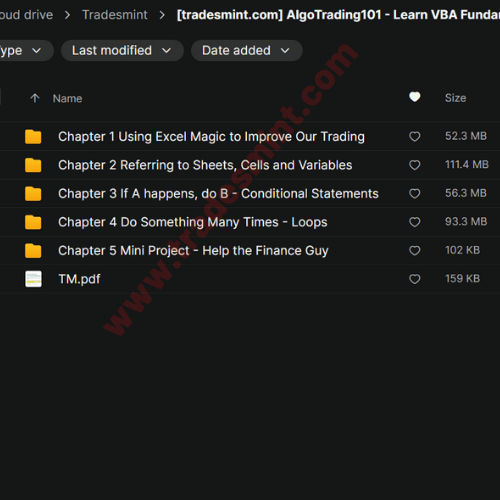
Course Curriculum
Chapter 1 Using Excel Magic to Improve Our Trading
- Excel VBA – Why are we learning this?
- Playing a Trading Game with Excel VBA
- Download Code for Excel VBA Chapter
- Simple Demonstrations with Excel VBA
- Setting up your Excel for VBA
- Warning! Trust Settings and Setting up Developer Tabs
Chapter 2 Referring to Sheets, Cells and Variables
- Referencing Cells and Sheets (Part 1)
- Referencing Cells and Sheets (Part 2)
- Summary Notes – Referencing Cells and Sheets
- VBA Basic Error Handling – Managing Erroneous Code
- Exercise on Referencing
- VBA Syntax – Structure of VBA Code
- VBA Variables – Basic Building Blocks that Store/Do Stuff
- VBA Reserved Words – Words You Cannot Use
- VBA Intro to Data Types – Different Types of Variables
- VBA List of Data Types
- VBA Operators, Intermediate Window and Buttons
Chapter 3 If A happens, do B – Conditional Statements
- VBA Conditionals – If This then That
- Comparison and Logical Operators
- Exercise on Conditionals
- Worksheet Functions (aka Excel Functions in VBA)
- List of VBA Worksheet Functions
- VBA Functions – Using In-Built VBA Functions
- List of VBA Functions
Chapter 4 Do Something Many Times – Loops
- For Loops – Do Something Many Times
- Do While Loops – Do Something Many Times (in another way)
- Multi-step Loops – Jumps of more than 1
- Exercise on Loops (Part 1)
- Nested Loops (Loops within loops) and Indentations
- Exercise on Loops (Part 2)
- Other Types of Loops
- Breaking out of Loops
- Infinite Loops – Loops that go on forever
Chapter 5 Mini Project – Help the Finance Guy
- VBA Self-Learning – Be a problem solver
- VBA Mini Project – Help the Finance Guy

Reviews
There are no reviews yet